Our client portal received a fresh makeover earlier this year. A useful addition has recently been added: it is now possible to add comments to an existing case and to attach documents and images.
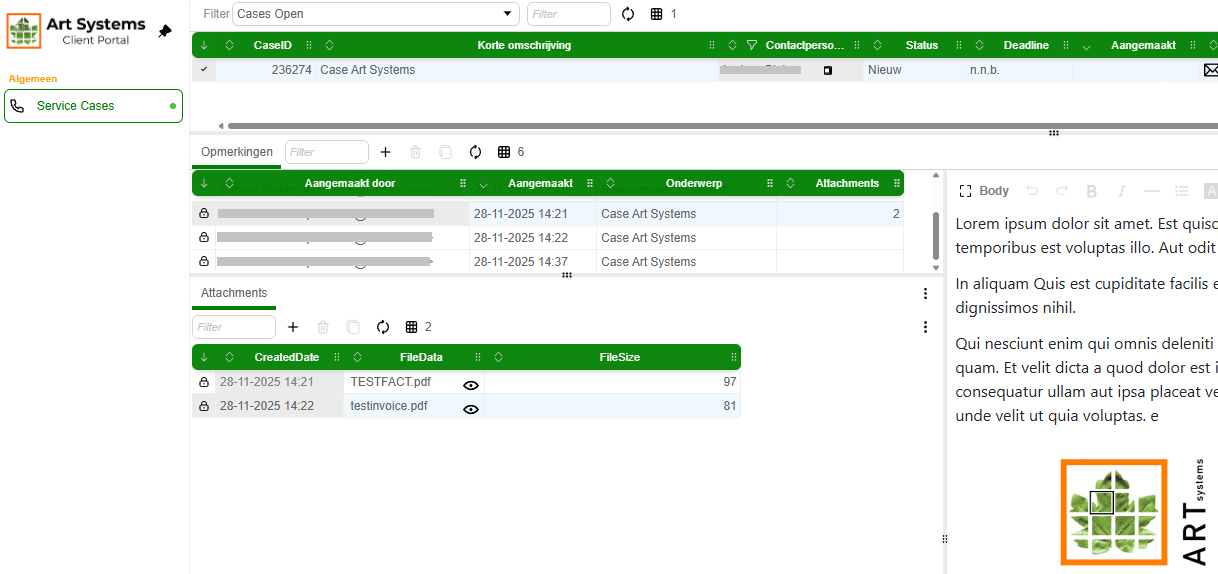
Add comments
Click the plus icon to add a comment. You can enter the text in the field on the right. Save the comment using the checkmark that appears once something is entered in the body field. After saving, the comment remains editable for 3 minutes. After that, it becomes final and can no longer be changed. Images, such as screenshots, can be pasted directly into the body field.
Attachments
At the bottom left, you can add files by dragging them into the field. You can also click the plus icon to select a file via the filedata field.